
Run your menu and your bookings from your phone.
MenuWiki Business is the free companion app for the people running the restaurant. Update dishes and prices, print a QR code for every table, and see the day's reservations as they come in.
Sign in with the same account you use on the MenuWiki web portal. No separate signup.
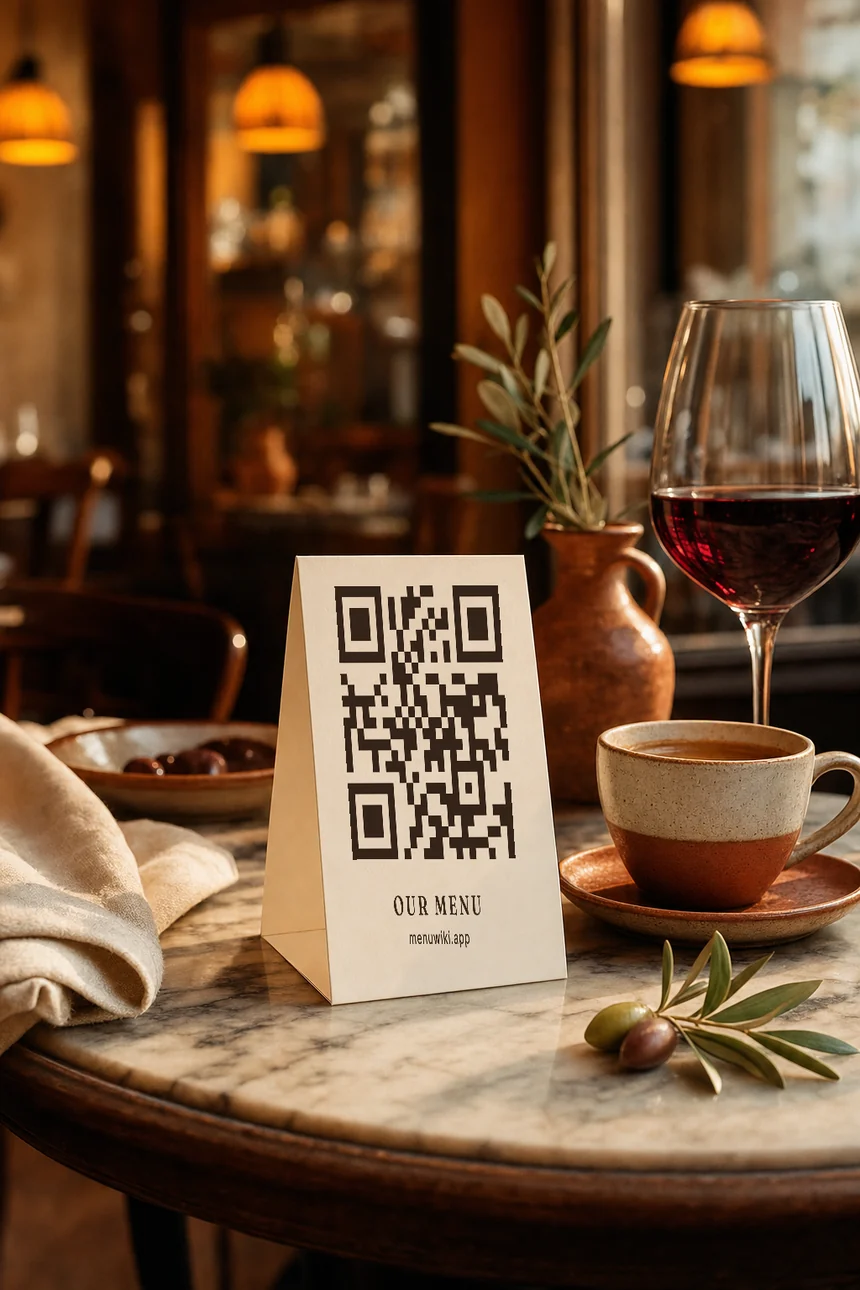
That QR works. Point your camera at it.
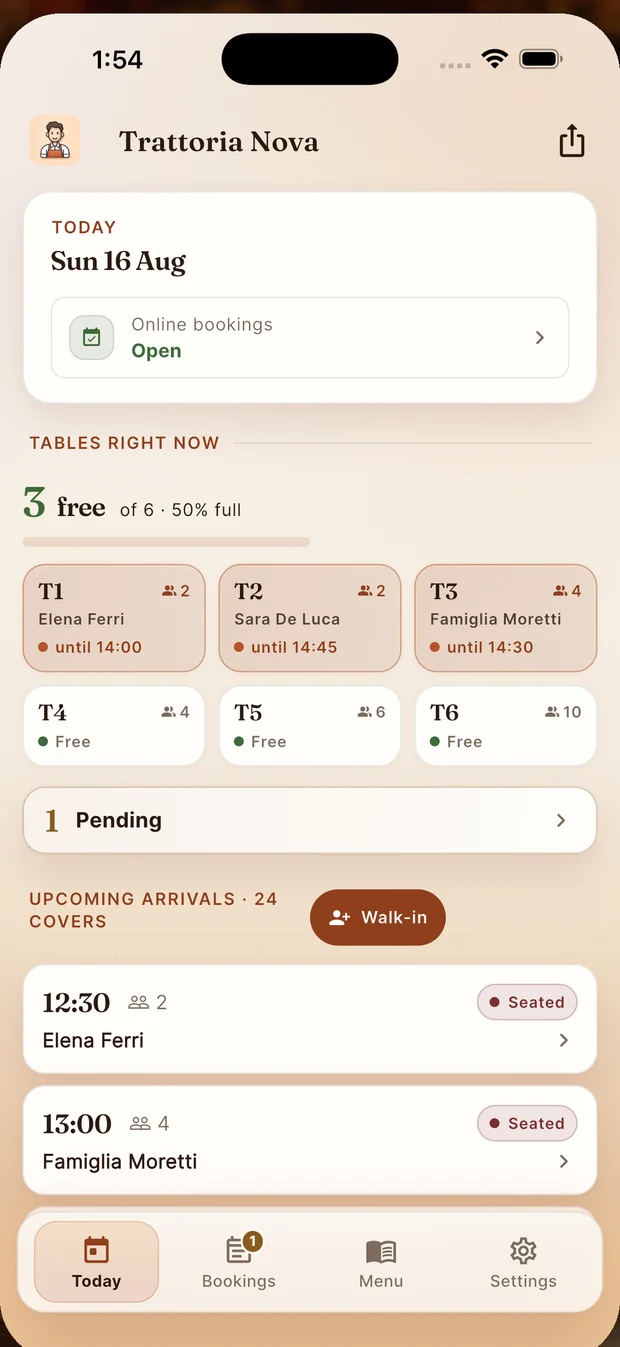
Three jobs, one app
Everything an owner touches daily, none of it tied to a desk.
Edit it in minutes
Update dishes, prices and photos, then publish. Changes show up on your public menu right away, no reprint needed.
Print once, done
Generate a code for every table that opens straight to your live menu. Diners scan it in their own phone's browser, nothing to install.
See the day at a glance
Check today's reservations, add one you took by phone, and get a notification the moment a new booking comes in.
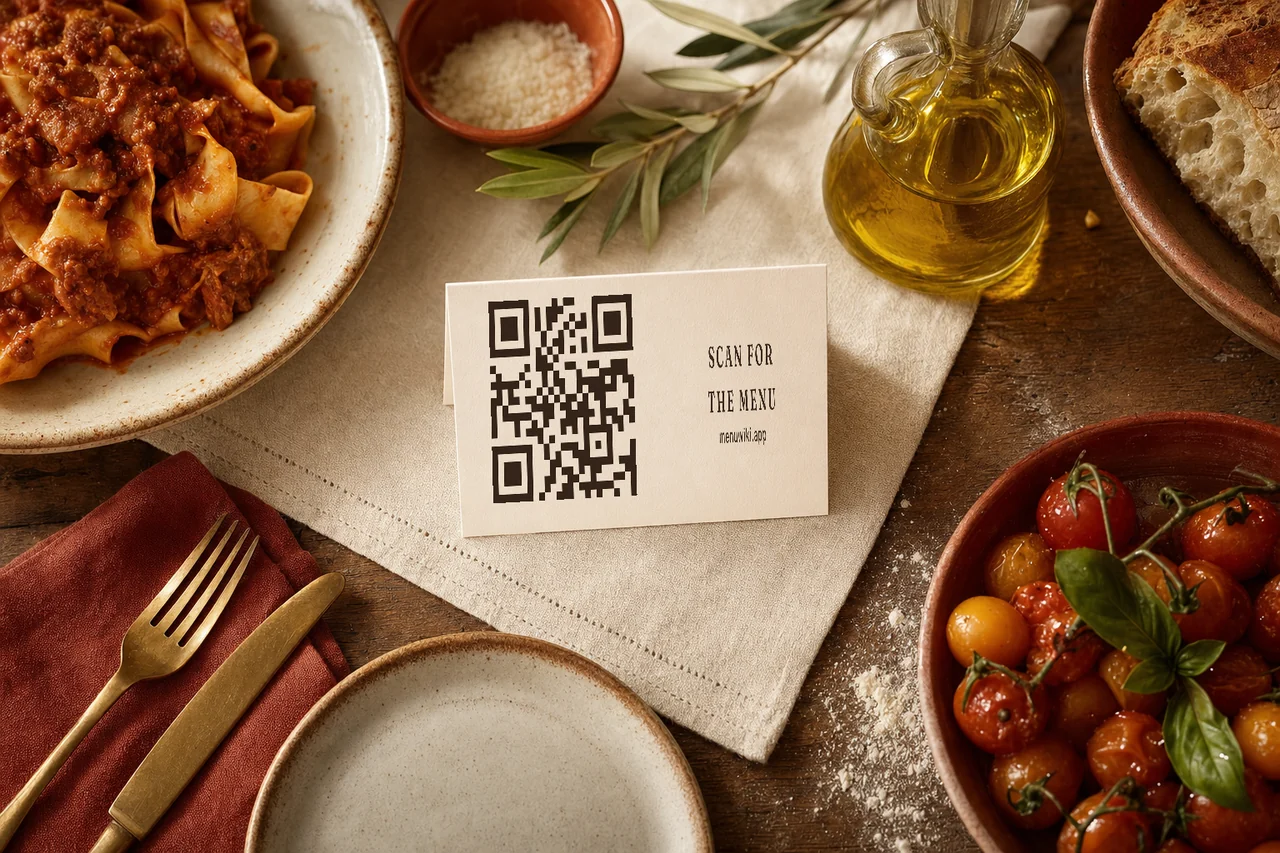
Print it once. Change the menu as often as you like.
The code never changes, so the card on the table stays right even when the kitchen does not. Sold out at eight in the evening? Take the dish down and the next person who scans will not see it.
- Your diners open it in the browser they already have
- The fourteen EU allergens sit on every dish
- Guests from abroad read it in their own language
Four screens, and that is the whole job
No dashboard to learn. The day you need is the screen that opens.
Today
The service, the moment you open it.
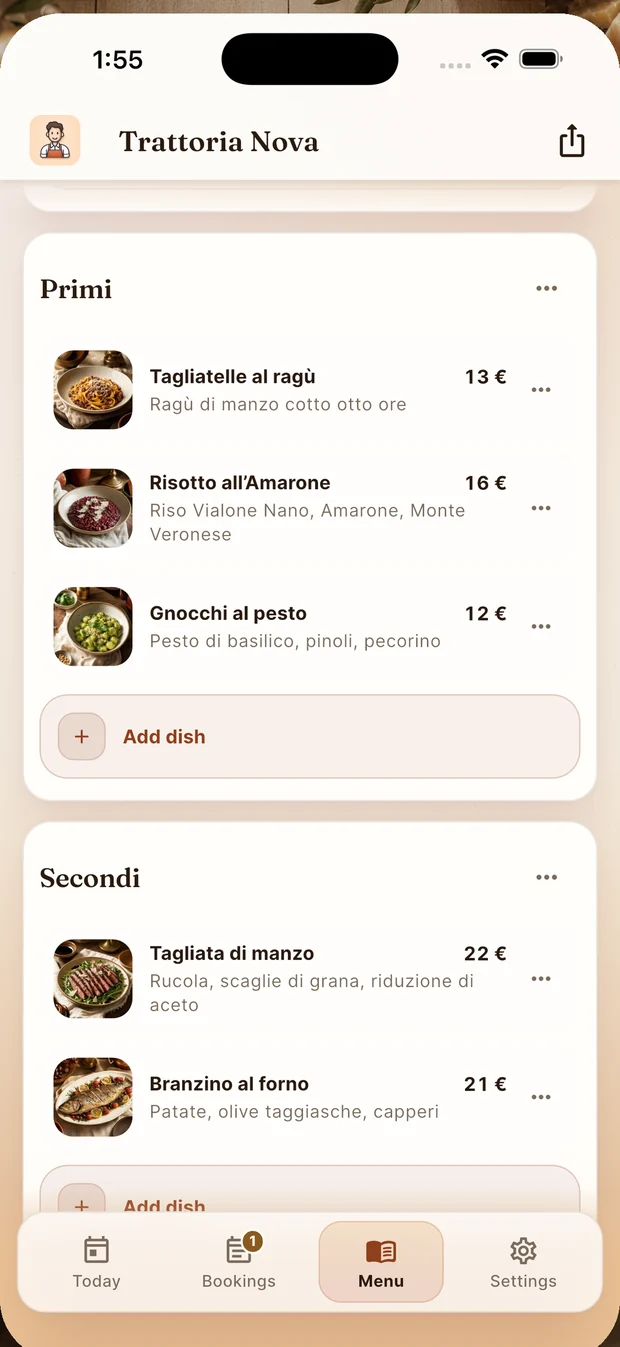
Menu
A price changed in ten seconds.
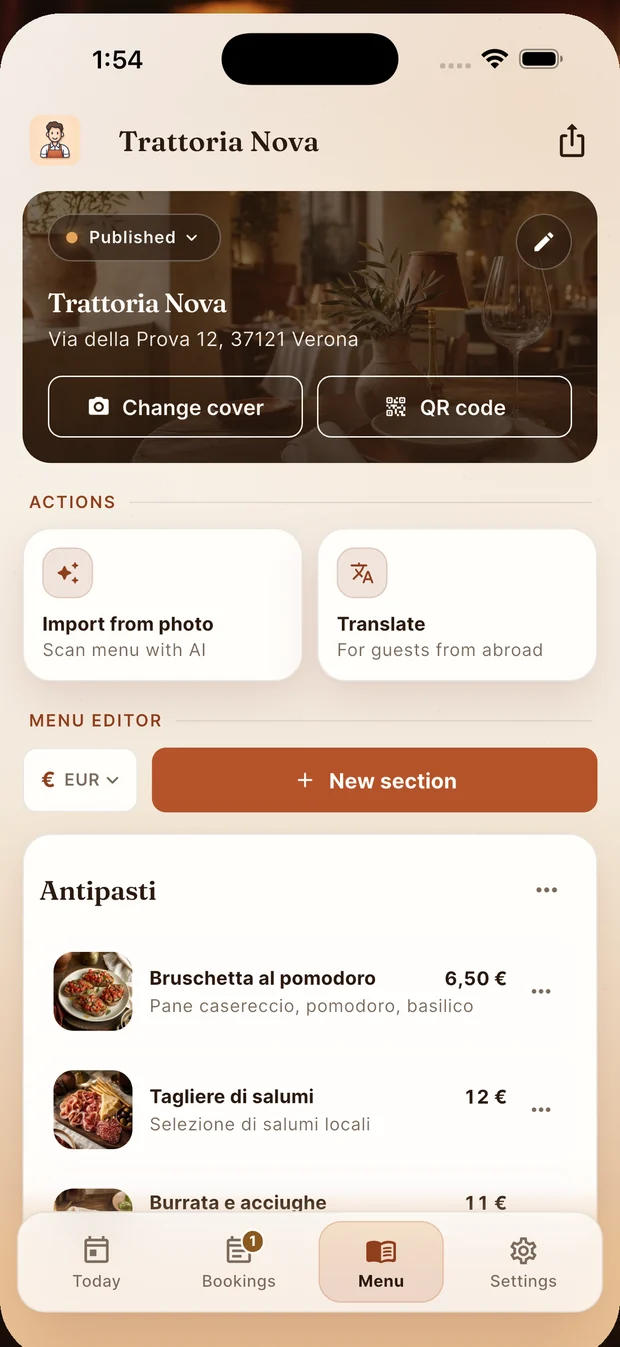
Import and share
Start from a photo of the paper menu.
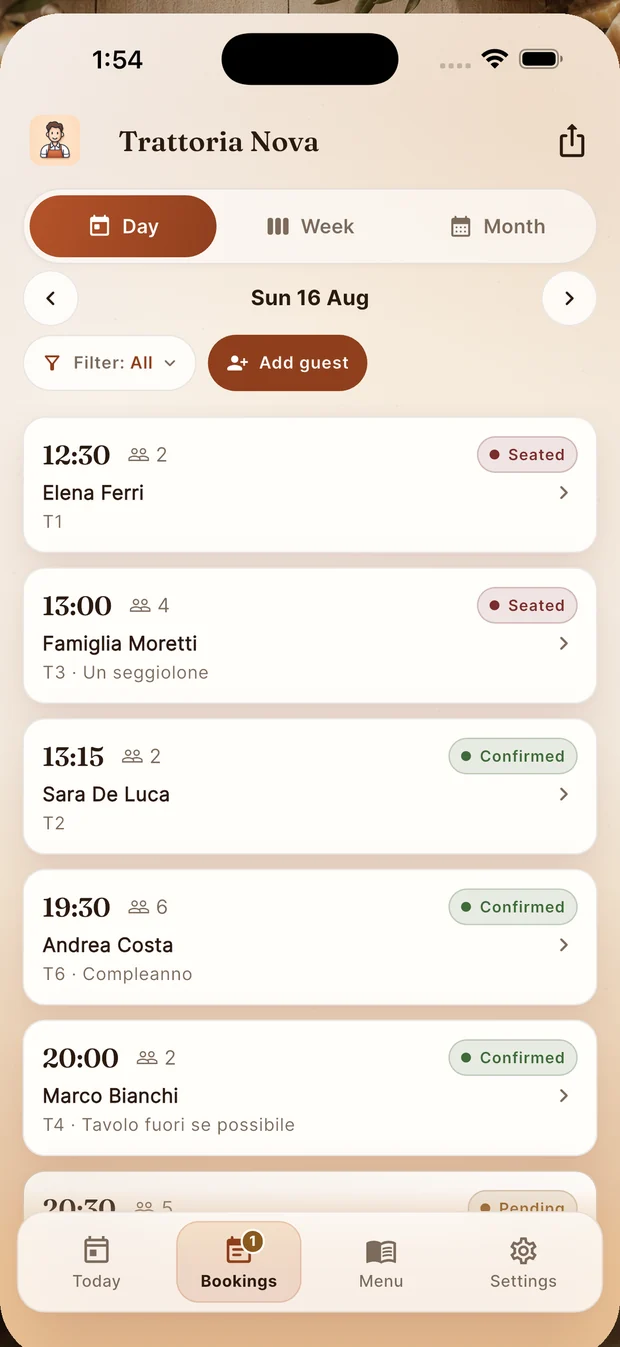
Bookings
The reservation book, in your pocket.
The same account, on your phone or your computer
MenuWiki Business runs on the same restaurant account as the MenuWiki web portal. Sign in with the Google account you already use there, and every change goes both ways. Use the app for a quick edit between tables, or sit down at menuwiki.app when you want a bigger screen.
From sign-in to your first booking
Sign in
Use the Google account tied to your restaurant. New here? Claim your restaurant first at menuwiki.app.
Build your menu
Add sections and dishes by hand, or scan photos of your existing menu and let MenuWiki draft it for you.
Print your codes
Download a QR code for each table and put it where diners can scan it. It always points at your current menu.
Watch bookings arrive
See reservations as they land, log the ones taken by phone, and keep the day organized from your pocket.
Good to know
Is MenuWiki Business free?
Yes. The app and the web portal are both free to download and use, and every restaurant starts with a credit balance for the AI features. When those run out, you can buy a top-up from the web portal. Nothing is purchased inside the app itself.
What costs money?
Two things, and both are optional. AI features are metered by credits: scanning a menu from photos costs 20, importing one from your website costs 15, and translating a menu costs 10. Every restaurant starts with 100 credits, enough to try the AI out. After that, top-ups are bought from the web portal: 300 credits for 2.99 euros, 800 for 5.99, or 2000 for 11.99. Separately, every menu comes with 3 free dish photos; more photos than that, and removing the MenuWiki mark from your public menu, are part of the paid plan.
Do I still need the web portal?
No, everything you need day to day is in the app. The web portal at menuwiki.app is there for when you would rather work from a bigger screen, and it shares the same account.
Is this the same app diners use?
No. MenuWiki Business is for the people running the restaurant. Diners never install anything: they open your menu link or scan your table QR code in their phone's browser.
How do diners see my menu?
Every restaurant gets a public menu page and a QR code that points straight at it. Diners open it in their own phone's browser, no install required.
Does the app need an internet connection?
Yes, to save changes and show live bookings. Your printed table QR codes keep working either way: they open your menu page as soon as the diner's phone has a signal.
Run your front of house from your pocket
Download it free and sign in. Your menu, your table codes and your bookings are ready, and top-ups live on the web portal if you ever need more AI credits.