Learn to fly a drone, one exercise at a time.
Take off from a 3D training field and fly with two touch sticks. Each exercise trains one skill and gives up to three stars. After every flight you see your path from above, with one tip on what to fix.
Studying for a drone licence as well? Exam prep for seven licences is in the same app.
Free on iPhone and Android, the simulator and the exam prep alike.
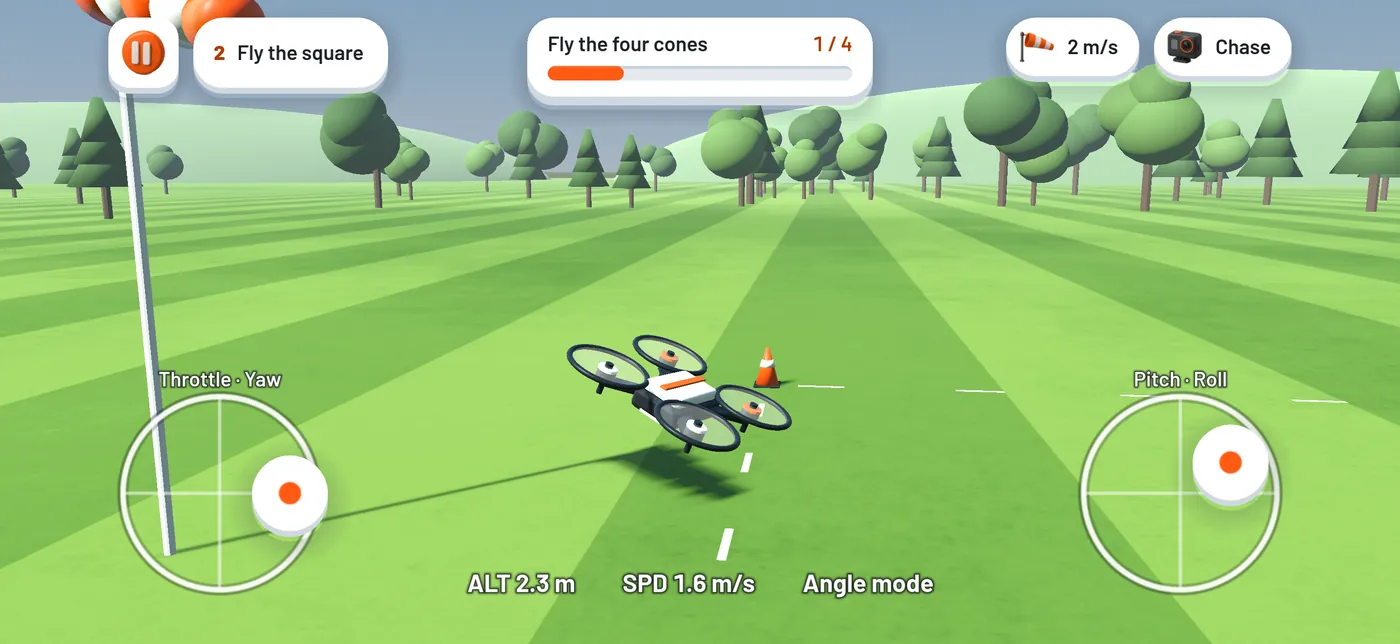
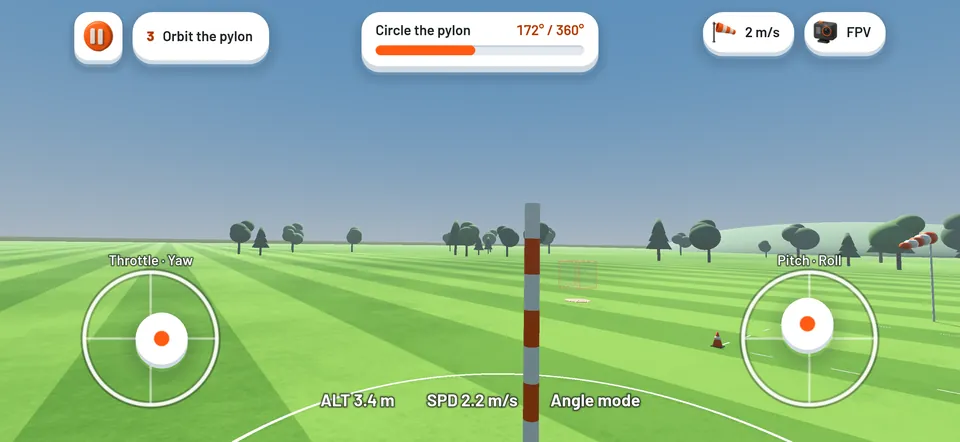
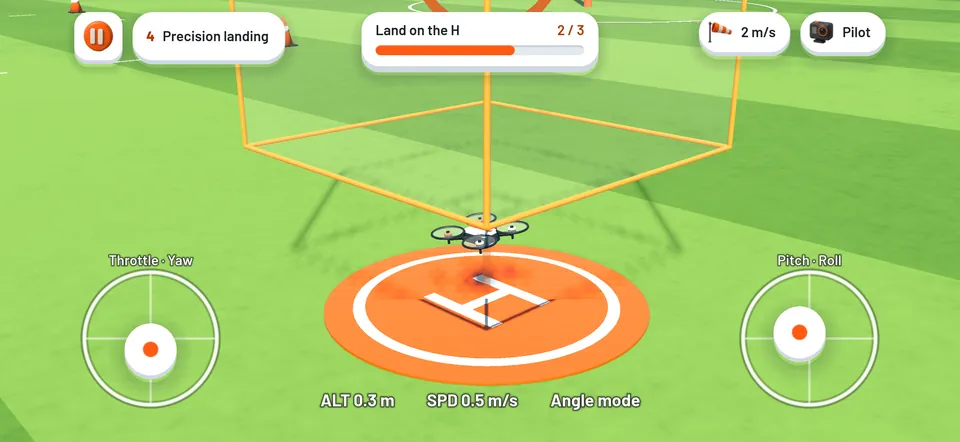
Four exercises, one skill each
The goal stays on screen while you fly, and each exercise scores the flight with up to three stars.
- Hover in the box. Keep the drone inside a small box for ten seconds.
- Fly the square. Four cones, one height, clean corners.
- Orbit the pylon. A full circle with the nose pointed at the pylon.
- Precision landing. Climb, fly out over the ring and land back on the H.
When you want to wander, free flight opens the whole field.
A debrief after every flight
The debrief draws your path over the field and shows the numbers that matter for that exercise: time, drift, clean corners, how hard you touched down. Then one tip about the biggest thing to fix.
Controls made for a phone
Two touch sticks in Mode 2, or Mode 1 if that is how you learned. Altitude hold keeps the drone at its height when you let go of the throttle, so you can work on direction first. Sensitivity and stick curve are yours to tune.
Three ways to watch
Chase view from behind the drone. Pilot view from beside the pad, the way you see a real drone in a park. Or the drone's own FPV camera.
A new challenge every day
The daily challenge picks one exercise with its own wind and target, the same for everyone that day, and keeps your streak. Tap Show me on the leaderboard to compare best scores under a callsign the app makes up for you.
Exam prep for seven drone licences
The theory has its own section: FAA Part 107, EASA A1/A3 and A2, the UK A2 Certificate of Competency, Transport Canada Basic and Advanced, and CASA. It holds 1,342 original questions and timed mock exams.
Try it before you install. Ten free practice questions for each of the seven exams, answered right in the browser, every one citing the rule it tests. Open the practice tests.
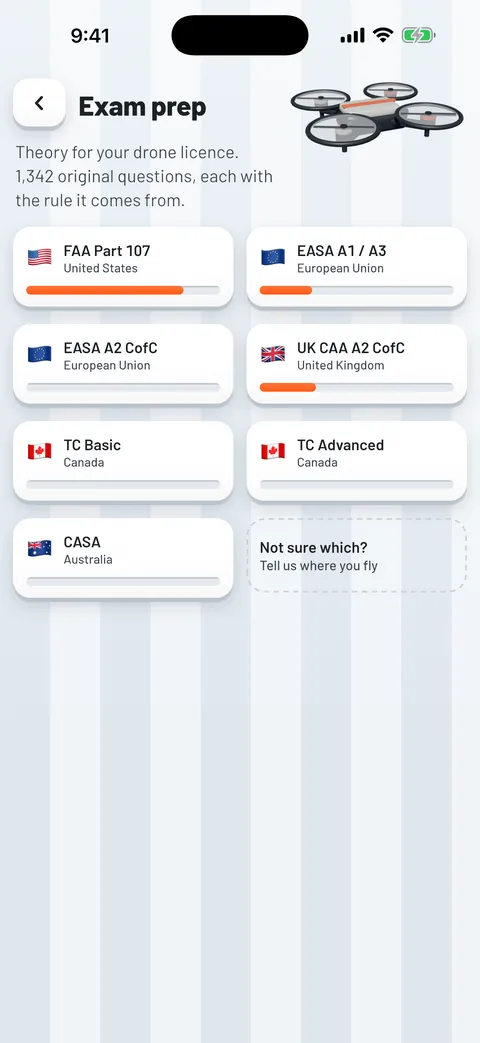
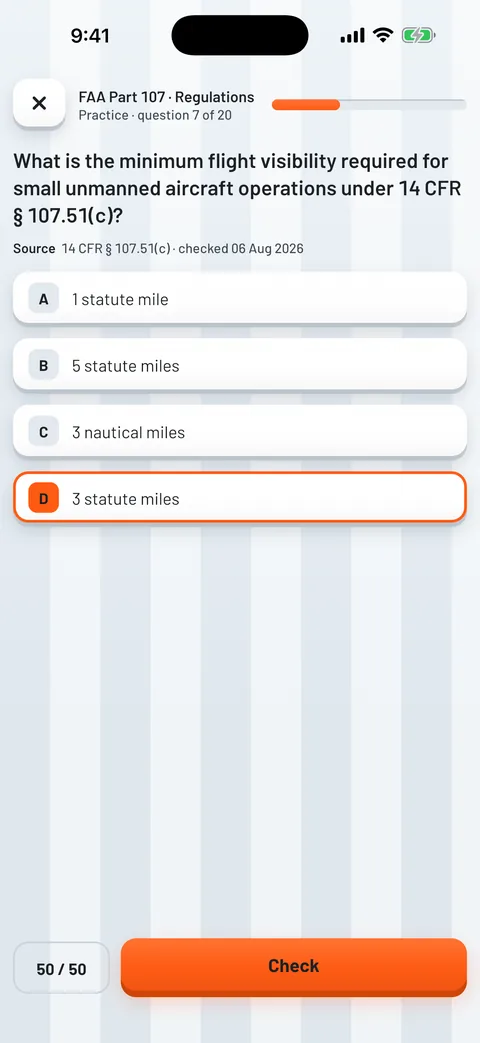
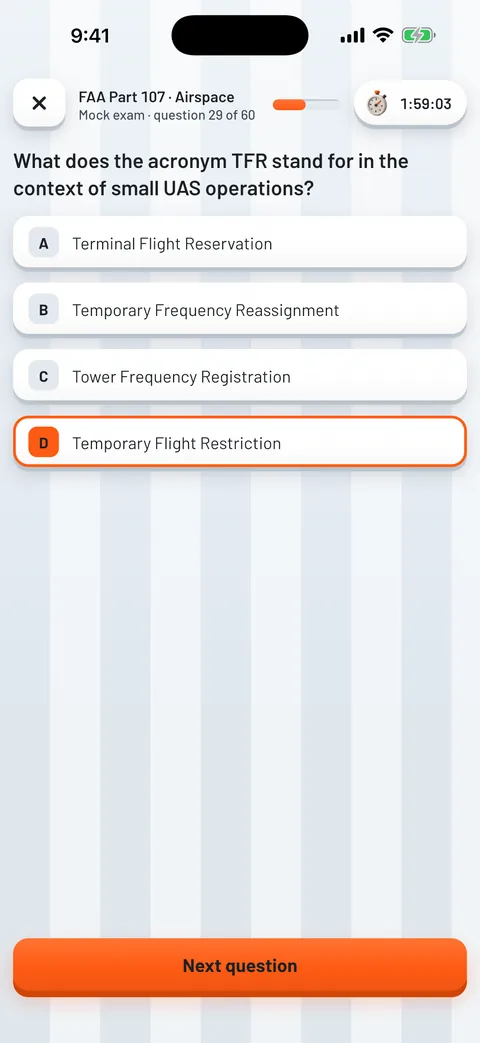
- Part 107 practice follows the FAA's weighting of each subject, and a readiness score per subject area shows what still needs work.
- Spaced repetition brings back the questions you miss sooner and lets familiar ones wait longer.
- A sectional chart symbol reference and a METAR and TAF decoder work with no signal.
Why the answers can be trusted
A practice answer helps only if you can check where it came from. Every question in Dronelix names its source, such as 14 CFR 107.29, TP 15263 section 4 or Regulation (EU) 2019/947, and the date it was last checked against the current regulation. You do not have to trust us. Look it up.
Every question also has a report button. When an answer needs a correction, we can fix that question without waiting for an app store release.
What each exam looks like
| Track | Where | Questions | To pass |
|---|---|---|---|
| FAA Part 107 | United States | 60 | 70% |
| EASA A1/A3 | European Union | 40 | 75% |
| EASA A2 CofC | European Union | 30 | 75% |
| A2 CofC | United Kingdom | At least 30 | 75% |
| RPAS Basic | Canada | 35 | 65% |
| RPAS Advanced | Canada | 50 | 80% |
| CASA | Australia | Set by your approved training organisation | |
Each track above links to ten free practice questions with the same explanation and citation the app shows, and nothing to sign up for.
Part 107 costs about 175 US dollars an attempt, with a 14 day wait after a fail. Formats and fees change, so confirm both with your authority or training provider before you book.
Free, all of it
Nothing is locked behind a trial and nothing renews.
- All four exercises and free flight
- The debrief after every flight, with your path and a tip
- The daily challenge and its streak
- The leaderboard, if you choose to join it
- Every practice question on all seven licence tracks
- The explanation and the rule citation behind each answer
- Timed mock exams on every track
- Corrections delivered to the device, without an app update
Questions people ask
Do I need a drone or a controller to use the simulator?
No. You fly with two touch sticks on the screen, in Mode 2 or in Mode 1 if that is how you learned. Altitude hold keeps the drone at its height when you let go of the throttle, so you can work on direction first.
Which flight exercises are there?
Four, each training one skill: hover in the box, fly the square, orbit the pylon and precision landing. Each gives up to three stars. Free flight opens the whole field when you want to fly without a goal, and the daily challenge picks one exercise with its own wind and target.
Are these the real exam questions?
No, and no study app has them. Every regulator keeps its live question bank closed. Dronelix questions are written from scratch against the published syllabus and the official study guides, which is how every honest study product in this field works. An app claiming to hold the real questions is not telling you the truth.
Which exams does Dronelix cover?
Seven tracks across five authorities: FAA Part 107 in the United States, EASA A1/A3 and EASA A2 in the European Union, the A2 Certificate of Competency in the United Kingdom, Transport Canada Basic and Advanced, and CASA in Australia. You can switch track at any time without losing progress.
What does Dronelix cost?
Nothing. The flight simulator, the daily challenge and every practice question, explanation, citation and timed mock exam are free, and there is no subscription.
What happens when a regulation changes?
When a question needs a correction, we can update it without waiting for an app store release. Each question shows when its content was last checked against the relevant source.
Can I study without a signal?
Yes. Questions, explanations, citations, the sectional symbol reference and the METAR and TAF decoder are all on the device. You can study on a plane, on a job site or in a field with no bars.
Is Dronelix on iPhone?
Yes. Dronelix is on the App Store and on Google Play, free on both, with the flight simulator and the exam section on each.
Dronelix is an independent app from IOCODO LLC. It is not affiliated with the FAA, EASA, the UK Civil Aviation Authority, Transport Canada or CASA, or with any drone maker. Dronelix does not contain live exam questions: its practice questions are written against published syllabuses and study guides.
Free to fly, free to study, mock exams included.